
When a HubSpot Contact Leaves a Company, the Business Opportunity Doesn’t Have to Leave With Them
How a departed contact at a consumer products manufacturer led to a new conversation about HubSpot automation and customer service.
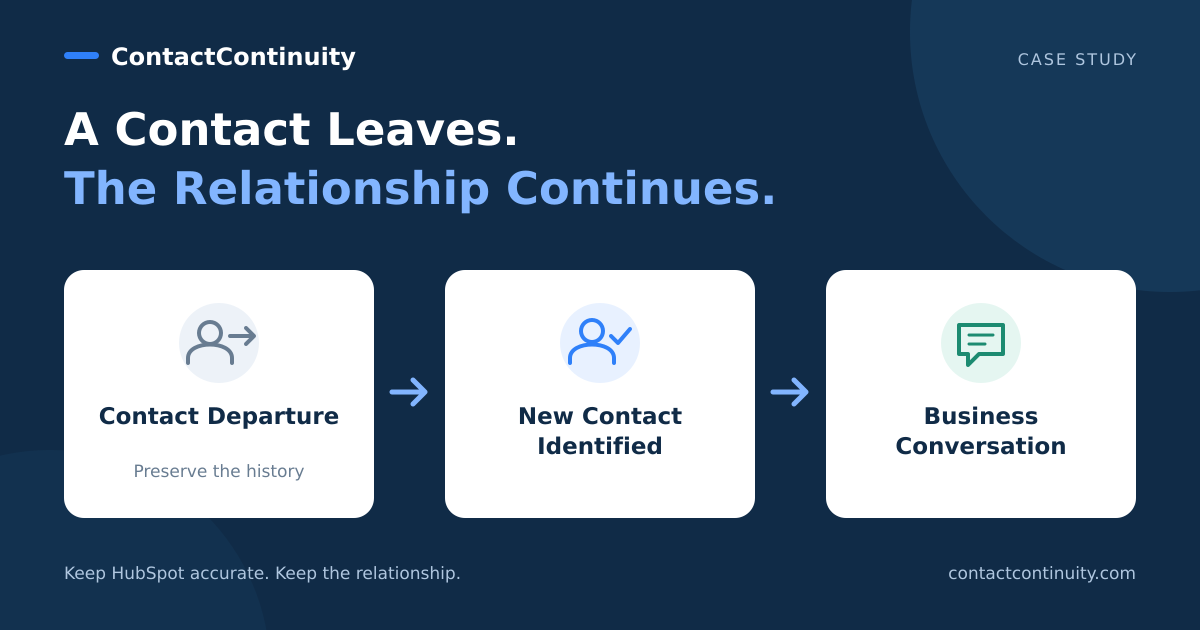
When someone leaves a company, their HubSpot record doesn’t automatically become irrelevant. Their email address may no longer work, but the business relationship, purchase history, and potential opportunities remain.
For companies that rely on HubSpot to manage sales and marketing relationships, employee turnover creates a recurring problem: the people in the CRM change jobs, but the records often don’t reflect those changes.
A recent example involving a mid-sized consumer products manufacturer illustrates why identifying replacement contacts matters and how a seemingly routine contact update can lead to a valuable business conversation.
The situation: A HubSpot contact had left the company
The company, a mid-sized consumer products manufacturer, was already using HubSpot.
During an outreach effort, we discovered that a contact previously associated with the company’s HubSpot account was no longer employed there.
This is a familiar situation for anyone managing a CRM. The original contact may have been responsible for evaluating software, managing a vendor relationship, or coordinating marketing activities. Once that person leaves, the relationship can become disconnected from the people now responsible.
Without a process to identify these changes, the original record might remain active indefinitely. Sales and marketing emails could continue going to an outdated address, while the organization loses visibility into who has taken over the responsibilities.
In this case, however, the departure became the starting point for reconnecting with the company.
The next step: Identifying the right person
After learning that the original contact had left, we identified another individual at the organization who appeared to have responsibility for strategic initiatives.
We reached out with a straightforward question: Who is currently responsible for HubSpot, and is there an opportunity to improve how the company uses it?
The message wasn’t a broad sales pitch. It acknowledged the personnel change, explained why we were reaching out, and offered to review the company’s HubSpot setup.
The contact forwarded the inquiry internally to the customer service supervisor, who was already involved in evaluating how HubSpot could support the company’s operations.
That internal referral made the difference.
The result: A new conversation about HubSpot and AI
The customer service supervisor responded with specific areas of interest.
The company was looking for ways to improve customer service workflows, expand automation, and make better use of HubSpot’s capabilities.
Its priorities included:
- Improving customer service workflows and operational efficiency.
- Using AI and automation to manage customer inquiries.
- Supporting customer communications across email, chat, and marketplace channels.
- Evaluating HubSpot’s Customer Agent and other AI capabilities.
- Identifying functionality already available in HubSpot that the company might not be fully using.
Rather than simply acknowledging the outreach, the supervisor invited a discussion about the platform and the opportunities available.
A contact departure had ultimately led to a conversation with someone who had a current, clearly defined business need.
No sale had been made, and the discussion was still at an early stage. But a relationship that might otherwise have gone dormant had become an active business opportunity.
What this example tells us about CRM data quality
CRM data quality is often discussed in terms of duplicate records, missing properties, incorrect email addresses, and outdated contact information.
Those problems matter. But the consequences extend beyond reporting accuracy and email deliverability.
When a contact leaves a company, several things can happen:
- The relationship becomes disconnected. The organization may still be a good prospect or customer, but the person previously managing the relationship is gone.
- Communications become less effective. Emails may bounce, reach unattended inboxes, or never reach the person now responsible.
- Opportunities go unnoticed. A replacement contact may have different priorities, new responsibilities, or an immediate need for assistance.
- Valuable relationship history can be lost. Replacing an old contact’s information with a new person’s details can obscure the original relationship and its activity history.
The challenge isn’t simply identifying that someone has left. It’s maintaining continuity between the company, its historical relationships, and the people who now represent it.
Where ContactContinuity fits
ContactContinuity was developed to address this problem for companies using HubSpot.
The application analyzes relevant email replies from connected Outlook or Gmail accounts to identify when someone has left a company, changed roles, retired, or provided information about a replacement contact.
When a change is detected, ContactContinuity can prepare HubSpot updates for review and approval, including:
- Marking the departed contact as inactive or no longer with the company.
- Suppressing the original contact from future marketing outreach.
- Identifying a named replacement or successor.
- Checking whether the replacement already exists in HubSpot before creating a new contact.
- Preserving the original contact’s history rather than overwriting it.
- Associating the appropriate contacts with the company and creating follow-up activities.
In the manufacturer example, the subsequent outreach and internal referral were handled manually. ContactContinuity did not automatically generate the business opportunity.
What the example demonstrates is the value of the process ContactContinuity supports: recognizing when a contact relationship changes, keeping HubSpot accurate, and making it easier for someone to reconnect with the right person.
The business value goes beyond removing outdated contacts
Consider the difference between two approaches.
In the first, a contact leaves a company. Their email address eventually bounces, the record becomes outdated, and the organization gradually disappears from active outreach.
In the second, the departure is identified, the original record is preserved, and the CRM provides a clear path for finding or following up with another person at the company.
The second approach doesn’t guarantee a new opportunity. But it gives sales and customer-facing teams a better chance of maintaining relationships that would otherwise be neglected.
For businesses with thousands of contacts, even a modest number of recovered relationships can be meaningful.
The manufacturer example illustrates this clearly. What began as a routine contact change ultimately surfaced a stakeholder interested in improving customer service operations, automation, and AI capabilities.
Keep the relationship, even when the contact changes
People change jobs. They retire, move to different departments, and hand responsibilities to colleagues.
A CRM should reflect those changes without losing the history of the relationships that came before them.
ContactContinuity helps HubSpot users identify these transitions and make the appropriate updates with human review.
The goal isn’t just a cleaner contact database. It’s making sure that a change in personnel doesn’t unnecessarily become the end of a business relationship.
Learn more about ContactContinuity and how it helps keep HubSpot contact records and business relationships current.
Related Resources
Don’t Lose the Relationship When a Contact Leaves
ContactContinuity helps identify departed contacts, preserve their HubSpot history, and manage successor relationships with review and approval.
See How ContactContinuity Works